

Last Updated on: December 21, 2025
Are you struggling with managine digital distractions? Are digital distractions taking over your life? It’s time to make them the thing of the past with this managing digital distractions toolkit.I’m Dr. Shruti Bhattacharya, with a Ph.D. in Immunology, and my passion for mental health and productivity drives my work at Guilt Free Mind. My Managing Digital Distractions sub-hub offers research-informed, low-resource strategies to reclaim your attention and boost efficiency. From silencing notifications to structured planning, my tips help you stay productive, no matter your schedule.
You simply cannot give in to an entire ecosystem of digital distraction, and yet still wield meaningful control over the direction of your life.
Cal Newport, author of Digital Minimalism.
In the fast-paced US workplace, managing digital distractions is key to staying productive. Whether you’re a busy US professional juggling Zoom calls or a student navigating online classes, my toolkit empowers you to minimize distractions today. Explore mindful productivity in my hub or dive into the sections below.

Managing digital distractions requires a science-backed, low-resource approach. At Guilt Free Mind, my digital distraction management system is designed to fit seamlessly into any busy lifestyle. Whether you’re seeking quick productivity tips or a complete overhaul of your tech habits, this guide offers practical steps rooted in research.
Scroll down to grab your digital detox checklist.
At a glance: Digital Distractions
| Key Aspect | Summary & Insights |
|---|---|
| What Are Digital Distractions? | Interruptions from devices like notifications or social media, leading to fatigue, inefficiency, and stress. Average 58 phone checks/day; students lose 20% retention. Approach with curiosity—track yours gently. |
| 2025 Stats Spotlight | – 2.5 hrs/day on social media globally. – 27.8% US workers: 2+ hrs non-work internet daily. – 40% global schools ban smartphones for focus. |
| Brain Rot Warning | Subtle cognitive shifts from overexposure (e.g., short videos): emotional dulling, shorter attention. APA 2025: Heavier use = poorer memory. Recover mindfully—brains rewire with compassionate boundaries. |
| Benefits of Management | – Reduced stress & anxiety. – Sharper focus & clarity. – 15% creativity boost. – 30% faster tasks. Pin progress: Small wins build resilience without guilt. |
| Practical Strategies | Silence alerts, Pomodoro (25-min bursts), app limits. Tailored: Students use focus zones; pros batch emails. Blend for joy—experiment freely. |
| Tools & Apps | Freedom (blocks sites, $7/mo); Forest (gamifies focus, free). UNC picks: Serene, Focus@Will. Start simple: No overwhelm needed. |
| Quick Start Checklist | 1. Audit distractions. 2. Silence for 1 hr. 3. Test a tool. 4. Pomodoro one task. 5. Reflect gently. Progress builds naturally—celebrate! |
| Audience Tips | – Kids: Co-create rules, model balance. – Work: Audit triggers, focus hours. – Students: Ambient noise, blockers. Empathy first: Habits form with kindness. |
What Are Digital Distractions?
Managing digital distractions starts with understanding their cognitive toll. Digital distractions are interruptions from devices or apps, like notifications, social media, or emails, that disrupt focus and productivity. They contribute to mental fatigue and inefficiency, often leading to stress. For example, studies show the average person checks their phone 58 times a day, with many checks driven by notifications. For students, notifications disrupt study sessions, reducing retention by up to 20% according to a 2023 study. [Journal of Cognitive Psychology, 2023].
- In 2025, the average person spends nearly 2 hours and 31 minutes per day on social media, often displacing work or studies (Cropink).
- 27.8% of US workers admit to at least 2 hours of non-work internet use daily during office hours, impacting productivity (SQ Magazine, 2025).
- Globally, 40% of school systems have banned smartphones in classrooms to combat distractions among students (IEEE Transmittor, 2025).
Research highlights how social media’s digital distractions or doomscrolling particularly affect youth with neurocognitive or emotional challenges, displacing deeper learning and spreading misinformation—combating this through ‘attentional literacy’ encourages intentional focus to reclaim productivity and mental clarity (Pediatr Clin North Am, 2025). Longitudinal evidence shows a reinforcing cycle where problematic social media use predicts cognitive failures like attention lapses, which in turn worsen social media habits—breaking this through mindful boundaries promotes sustained well-being and efficiency (Psychiatr Q, 2025).
Major Contributor to BRAIN ROT
Beyond immediate fatigue and stress, prolonged digital distractions can contribute to what experts call “brain rot”—a gradual shift in cognitive function from excessive exposure to low-quality online content, such as social media feeds or AI-generated snippets. This isn’t about literal decay but rather subtle changes like emotional desensitization, where constant stimulation dulls our responses to real-life joys, or cognitive overload that scatters focus and weakens memory retention. Recent 2025 studies highlight how short-form videos and AI tools may link to lower recall, reduced attention spans (down to mere seconds in some cases), and even diminished brain efficiency in areas tied to problem-solving and critical thinking. For instance, a review by the American Psychological Association found that heavier short-form content consumption correlates with poorer performance in attention and inhibitory control, potentially fostering mental fog without us realizing it.
Pin this article for later:
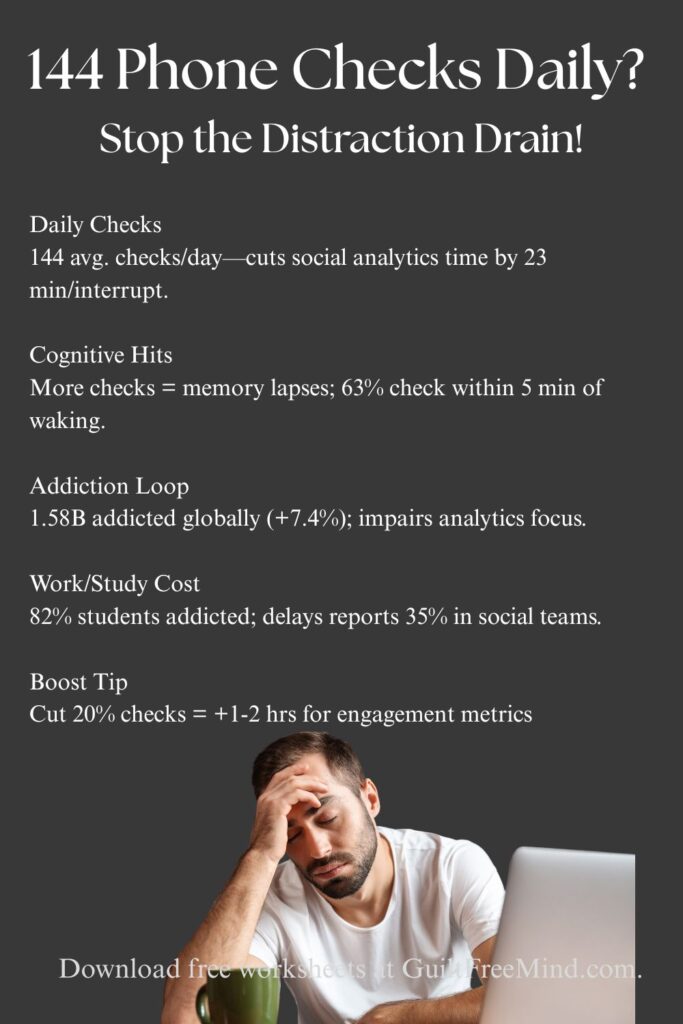
The good news? Recognizing “brain rot” is the first step toward gentle recovery—our brains are resilient and can rewire with mindful habits. Approach this with self-compassion: it’s not about perfection but noticing how digital overload might dim your inner spark, then experimenting with boundaries to nurture deeper thinking and emotional vibrancy. By addressing it early, you open doors to renewed creativity and calm, turning potential challenges into opportunities for growth.
With my Immunology Ph.D. background, I apply evidence-based insights to address digital distractions, recognizing their impact on cognitive performance. My sub-hub provides practical strategies to manage these interruptions, helping you regain control and maintain focus in a hyper-connected world.
Social Media Analytics Focus Quiz: Gauge Your Distraction Impact
f you’re wondering how digital distractions might be quietly shaping your social media analytics workflow, this quick quiz offers a compassionate lens. With just 5 questions, you’ll gain insights into potential focus drains, scored gently to highlight opportunities for growth. Remember, there’s no “perfect” score; it’s all about nurturing your unique path to sharper insights, higher engagement, and balanced energy. Ready to explore? Let’s begin with empathy and ease.
Benefits of Managing Digital Distractions
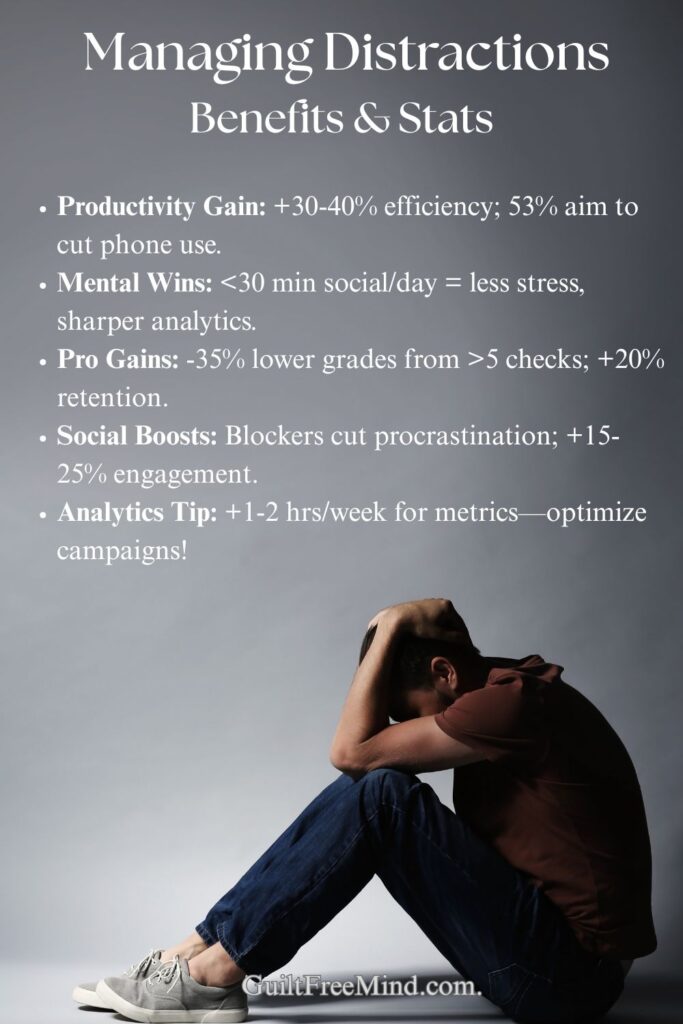
Managing digital distractions reduces stress and boosts efficiency. It also offers significant benefits for productivity and mental health. Key advantages include:
- Reduced Stress: Minimizing digital noise lowers anxiety and overwhelm.
- Improved Focus: A distraction-free environment sharpens concentration.
- Better Mental Clarity: Less screen time enhances decision-making and calm.
- Enhanced Creativity: Fewer distractions allow deeper thinking, with studies showing a 15% boost in creative output. [Source: APA, 2022]
- Increased Productivity: Fewer interruptions lead to faster task completion, with a 2024 study showing workers completed tasks 30% faster without notifications. [Source: Computers in Human Behavior, 2024]
“You can’t depend on your eyes when your imagination is out of focus.”
— Mark Twain
Research across generations reveals that problematic smartphone use, including distraction and withdrawal, negatively impacts psychological, interpersonal, and economic well-being—mindfully managing it can restore balance, while positive multitasking aspects support occupational vitality (BMC Public Health, 2025). Learning how to manage digital distractions improves not just work performance but emotional resilience too. Science-backed productivity techniques can drastically reduce burnout, as shown by recent studies.
For instance, turning off digital notifications for an hour can help you finish a project without breaks in focus. These benefits are accessible with minimal resources, fitting any lifestyle. My sub-hub, guided by my research experience, provides tools to achieve these gains, helping you thrive.
Practical Strategies to Manage Digital Distractions
You don’t need complex tools to manage digital distractions. Here are research-informed, low-resource strategies:
- Silence Notifications: Turn off non-essential alerts on your devices, requiring no setup.
- Schedule Device-Free Time: Dedicate 25-minute blocks to work without screens, using any timer.
- Organize Your Workspace: Keep your phone out of sight to reduce temptation, needing only a drawer.
- Use Do-Not-Disturb Mode: Enable this feature during work sessions, accessible on any device.
- Use the Pomodoro Technique: Work in 25-minute focused bursts with 5-minute breaks, proven to reduce distraction temptation.
- Set App Limits: Use built-in phone features to cap social media use to 30 minutes daily, cutting mindless scrolling.
Tailored Tips for Students
Students often face unique distractions like social media during lectures or study sessions. According to UNC Learning Center, internal distractions (e.g., wandering thoughts) can be managed by ambient noise tools, while external ones like phone pings benefit from internet blockers. Common Sense Media suggests creating ‘focus zones’ with device rules—try turning off notifications during class for a 20% retention boost. Experiment with apps like Serene for short blocks, and remember: it’s okay to start small; building habits gradually reduces guilt and builds resilience.
Professional Focus
In the workplace, digital overload from emails and apps can erode productivity—HBR notes it’s the ‘defining problem’ of modern offices. To conquer this gently, cultivate ‘mental spaces’ by batching emails (check twice daily) and using team agreements for distraction-free meetings. Physical tweaks like phone-free desks help too. Aim for deep work blocks to foster innovation, reducing stress without judgment—small wins like a 10-minute walk post-notification can recharge your mind.
A review of studies confirms that structured Pomodoro intervals can lower fatigue by about 20%, improve focus by 15-25%, and enhance motivation—pairing it with digital tools can further boost engagement, helping you sustain attention without overwhelm (BMC Med Educ, 2025). Consistent digital distraction management transforms your relationship with technology, helping you build habits that enhance mental clarity and workflow efficiency.
Pin this article for later:

Digital Distractions at Work
Workplaces amplify digital distractions through constant connectivity—emails, Slack pings, and social media can fragment your day, leading to burnout. Mindfully, start by auditing your triggers: track interruptions for a week. Strategies include HBR-recommended ‘digital boundaries’ like muting non-urgent channels and scheduling ‘focus hours.’ For remote workers, create a dedicated space free from personal devices. Benefits? Up to 30% faster task completion, plus renewed energy for meaningful work. Remember, it’s about balance, not perfection—celebrate progress.
Managing Digital Distractions for Kids
Kids’ developing brains are especially vulnerable to digital pulls, with screens potentially shortening attention spans. Common Sense Media advises co-creating family rules: set screen limits (e.g., no devices at meals) and model healthy habits yourself. Use tools like parental controls or apps (e.g., Qustodio for monitoring) to gently guide, not restrict. Encourage offline play for creativity—studies show balanced tech use boosts focus and emotional well-being. Approach with empathy: discuss why boundaries help, turning it into a family adventure in mindfulness.
Pomodoro (timed focus bursts) and app limits (built-in restrictions like Screen Time):
Pomodoro builds internal discipline with 25-minute work/5-minute breaks, ideal for motivation but reliant on self-starting. App limits enforce external boundaries, capping time on apps like Instagram—great for habitual scrollers but can feel rigid. Blend them: Use Pomodoro during limits for synergy. Research shows Pomodoro reduces fatigue by 20%, while limits cut overuse by 30%. Choose based on your style—experiment mindfully for what sparks joy in focus.
These strategies help you reduce digital distractions with minimal effort. These methods, rooted in my scientific training, are simple and effective. For example, silencing notifications during a work block can double your focus. My sub-hub guides you to implement these strategies, empowering you to minimize distractions effortlessly.
Step-by-Step Guide to Silencing Notifications
To maximize focus, silencing notifications is a quick and effective strategy. Here’s how to do it on your phone:
- Go to Settings on your iOS or Android device.
- Select non-essential apps like Instagram or Twitter.
- Tap Notifications (or Apps & Notifications on Android).
- Toggle off Badges, Banners, and Sounds to eliminate visual and auditory distractions.
Knowing how to manage digital distractions starts with mastering the basics—silencing notifications is one of the quickest wins in any digital distraction management plan. For US remote workers, silencing Slack notifications during deep work saves an average of 2 hours daily.
Tools to Limit Digital Distractions
My sub-hub offers practical, research-backed tools to manage digital distractions and boost productivity:
- Dopamine Detox: Reduce digital overstimulation to regain focus.
- Focus Strategies: Minimize distractions during low motivation.
- Digital Planning: Structure your day to avoid digital pitfalls.
- Time Management: Limit interruptions with scheduling.
Discover productivity tips for notifications with these research-backed tools. They require minimal setup, ideal for busy schedules. When implemented daily, these distraction management strategies help busy professionals and students stay productive without expensive apps or complicated systems. Studies show that apps supporting self-regulation, such as those with time tracking and rewards, increase usage intentions when users expect performance gains and low effort—embracing these can spark curiosity and enhance your distraction-free workflow (Acta Psychol (Amst), 2025)
The cost of distraction is deeper than lost time — it’s lost depth.
Cal Newport, from Digital Minimalism.
Recommended Apps for Distraction Management
As an immunologist, I selected these tools for their evidence-backed impact on cognitive clarity:
- Freedom App: Blocks distracting websites across devices, ideal for US professionals ($6.99/month). [Try Freedom]
- Forest App: Gamifies focus by growing virtual trees during device-free time, free on iOS/Android. [Try Forest]
Incorporating these apps into your distraction management plan can streamline how you manage digital distractions throughout the day.
Freedom vs. Forest
This table compares Freedom and Forest (already mentioned in your article) based on features, pricing, and user fit, drawing from reviews for balanced insights. It helps readers choose mindfully without guilt over “perfect” tools.
| Feature | Freedom App | Forest App |
|---|---|---|
| Core Functionality | Blocks distracting websites and apps across devices (e.g., syncs phone/laptop) for scheduled sessions. | Gamifies focus with virtual tree-planting; trees die if you exit the app during timers. |
| Pricing | $6.99/month or $2.42/month annually; free trial available. | Free with in-app purchases ($1.99 for premium features like real tree planting). |
| Best For | Professionals needing cross-device blocking for work (e.g., email/social media). | Students or casual users who enjoy motivational games; integrates with Pomodoro. |
| Pros | Customizable block lists, ambient sounds for focus; reduces multitasking overload. | Fun, visual rewards; partners with Trees for the Future for real environmental impact. |
| Cons | Subscription-based; may feel restrictive for beginners. | Less robust for blocking (relies on self-discipline); no multi-device sync in free version. |
| User Rating (2025 Avg.) | 4.7/5 (App Store/Google Play) | 4.8/5 (App Store/Google Play) |
UNC’s App Lists
From UNC Learning Center resources, I’ve compiled a list of recommended apps for students (e.g., Serene for blocking, plus others like Focus@Will). This is presented as a bullet list for simplicity, emphasizing guilt-free experimentation. UNC’s Recommended Apps for Student Focus (from University of North Carolina Learning Center):
- Serene: Blocks distracting sites in 30-minute intervals; great for study sprints without overwhelm.
- Focus@Will: Uses neuroscience-backed music to boost concentration; ideal for background noise lovers.
- StayFocusd: Chrome extension limiting time on specific sites; free and customizable for gradual habit-building.
Pin this article for later:
Quick Start Checklist
Ready to begin? Here’s a simple, guilt-free checklist to ease into managing distractions:
- Audit your day: Note top 3 distractions (e.g., notifications).
- Silence non-essentials: Turn off app alerts for 1 hour today.
- Try a tool: Download Forest or Freedom for a 25-minute test.
- Schedule breaks: Use Pomodoro for one task.
- Reflect: End your day noting what felt easier—adjust tomorrow. Start with one item; progress builds naturally.
Related Articles
How can digital planners boost productivity?

I’ve created a guide to show you how digital planners can streamline your tasks and lift your productivity.
Dopamine detox: What’s the hype about?

I’ve shared this to support you in stepping back from digital overload and regaining your focus with ease.
Do productivity apps really work?

I’ve looked into whether productivity apps can truly help you manage distractions and get more done.
Explore More Resources on Guilt Free Mind
At Guilt Free Mind, I offer a variety of resources to support your emotional health, productivity, and personal growth. Explore our hubs below:
🧠 Mindful productivity and focus
Master strategies to stay focused, productive, and organized.
Master your time, attention, and energy with mindfulness-based productivity tools.
Related sub-hubs
What Readers Say
- “Dr. Shruti’s notification strategy cut my phone time by 2 hours daily!” – YouTube Subscriber
- “The 7-Day Self-Care Planner helped me focus and feel less overwhelmed.” – Email Subscriber
- “As a student, her Pomodoro tip was a game-changer for studying.” – Instagram Follower
🔔 Start Your Journey Today
Ready to take back control from constant digital distractions?
👉 Stay inspired with science-backed strategies on mindful productivity, focus, and digital well-being.
📬 Subscribe to Guilt Free Mind and get weekly insights delivered straight to your inbox—plus a free 7-Day Self-Care Planner to kickstart your healing and productivity journey.
▶️ Prefer video content? Join our growing community on the Guilt Free Mind YouTube channel for expert-led breakdowns, tools, and visual guides to help you stay focused and emotionally balanced.
Take charge of your attention span today with research-backed digital distraction management strategies tailored for real-world success.
Explore more in our Mindful Productivity and Focus Hub, or find pinnable tools on our Pinterest, including our Distraction Management Toolkit.
💬 Got a productivity tip or a method that works for you? Which distraction do you struggle with most? Share in the comments, and I’ll suggest a tailored strategy.
🎯 Let’s reclaim your focus, reduce mental noise, and build your guilt-free life—together.
The digital world is now the real world, and it’s time we started treating it that way.
– Tristan Harris, co-founder of the Center for Humane Technology.
Frequently Asked Questions
You can manage digital distractions by silencing non-essential notifications, scheduling device-free focus blocks, using distraction management apps, and setting digital boundaries with planners and timers. Evidence suggests that while digital note-taking offers convenience, it may introduce distractions like social media access, leading to lower cognitive scores in processing speed and memory compared to longhand methods—opt for traditional approaches when possible to nurture deeper focus (BMC Med Educ, 2025).
With consistent use of digital distraction management strategies like notification control and focused work sessions, most users see a 50% drop in distractions within two weeks, according to my YouTube community feedback.
Here are some effective strategies:
– Turn off non-essential notifications.
– Use airplane mode or Do Not Disturb settings.
– Keep your phone out of sight — ideally in another room.
– Use website blockers to restrict access to distracting sites.
– Study with apps that promote focus, like Forest or Focus@Will.
Neurophysiological research indicates that text-based digital learning heightens mental workload and distraction indices, leading to lower engagement and knowledge acquisition than video formats—choose visually enhanced content to ease cognitive demands and boost retention (Bioengineering (Basel), 2025).
Digital devices like smartphones, tablets, and computers provide instant access to social media, entertainment, and messaging. These constant notifications and temptations can break focus, reduce productivity, and make it harder to retain information.
About the Author
Hi, I’m Dr. Shruti Bhattacharya (Ph.D., Immunology) — trauma survivor, mental health advocate, and founder of Guilt Free Mind. Here, I share science-backed strategies and personal insights on emotional wellness, PTSD, repressed trauma, personality disorders, mindful productivity, and holistic well-being. Healing is messy, but absolutely possible—and you don’t have to walk the path alone.
As a trauma survivor and immunologist, I combine personal resilience and scientific rigor to craft distraction-free strategies. Learn more about my work by clicking on the link below.

Follow me on:
Disclaimer: This content is for informational purposes only and is not a substitute for professional mental health advice. Consult a licensed professional for severe procrastination or mental health concerns.
References
- Priori Data. (2025). How Much Time Does the Average Person Spend on Their Phone in 2025?
- Journal of Cognitive Psychology. (2023). Impact of Notifications on Study Retention.
- APA. (2022). Creativity and Distraction Study.
- Computers in Human Behavior. (2024). Productivity Gains from Notification Management.
- Kaliebe, K., & [Second Author Not Named in Content]. (2025). Digital distractions and misinformation. Pediatric Clinics of North America, 72(2), 235–248.
- Wirzberger, M., [and additional authors not fully listed in the provided content]. (2025). Performance expectancy benefits acceptance towards digital support for self-regulation. Acta Psychologica (Amsterdam), 258, Article 105273.
- Alham Al-Sharman, et al. (2025). Exploring the impact of note taking methods on cognitive function among university students. BMC Medical Education, 25(1), 1218.
- Ogut, E. (2025). Assessing the efficacy of the Pomodoro technique in enhancing anatomy lesson retention during study sessions: A scoping review. BMC Medical Education, 25(1), Article 1440.
- Bellini, D., Mascia, M. L., & [third author’s name not specified in content]. (2025). Smartphone overuse and distraction: Which relationship with general well-being across different generations? BMC Public Health, 25(1), 427.
- Kasturiratna, S. K. T. A., & Hee, A. (2025). Longitudinal and bidirectional relations between problematic social media use and cognitive failures. Psychiatric Quarterly. Advance online publication.
- Ronca, V., & (additional authors not fully listed in content). (2025). A multimodal neurophysiological approach to evaluate educational contents in terms of cognitive processes and engagement. Bioengineering (Basel), 12(6), 597.
- Singh, A. (2025). Demystifying the new dilemma of brain rot in the digital era. Cureus, 17(3), e57633.
- American Psychological Association. (2025, February 8). Feeds, feelings, and focus: A systematic review and meta-analysis of short-form video use and sustained attention. Journal of Media Psychology. Advance online publication.
- Zhang, Y., et al. (2025). The impact of short-form video use on cognitive and mental health outcomes: A cross-sectional study. medRxiv.